Code Smarter.
Ship Faster.
A lightweight, AI-powered desktop IDE — Monaco editor, inline completions, Git integration, and zero bloat.
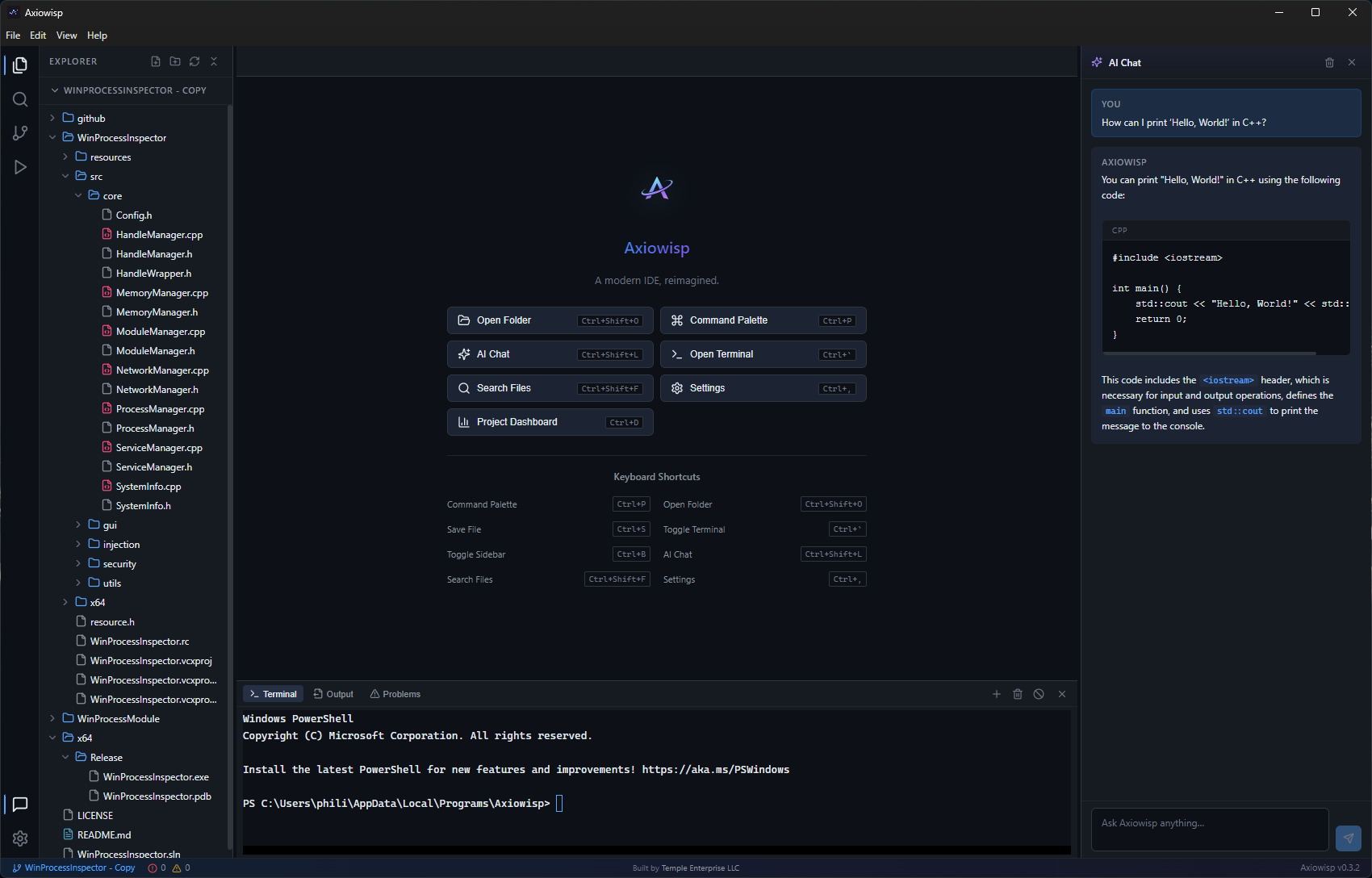
30+ languages · Monaco Editor · IntelliSense
 JavaScript
 TypeScript
 Python
 Rust
Rust Go
Go Java
Java C++
C++ C#
C# PHP
PHP Ruby
Ruby HTML
HTML CSS
CSS Kotlin
 Swift
Swift React
React Vue
Vue Dart
Dart Sass
Sass Lua
Lua BashJavaScriptTypeScriptPythonRustGoJavaC++C#PHPRubyHTMLCSSKotlinSwiftReactVueDartSassLuaBash
Capabilities
Everything you need. Nothing you don't.
A focused set of tools designed for real development workflows.
Inline AI Completions
Ghost text suggestions appear as you type. Uses your own API key with OpenAI, Anthropic, or Gemini. Tab to accept.
AI Code Review
Right-click any file for instant feedback on security risks, performance issues, bugs, and code style. Categorized by severity.
AI Chat
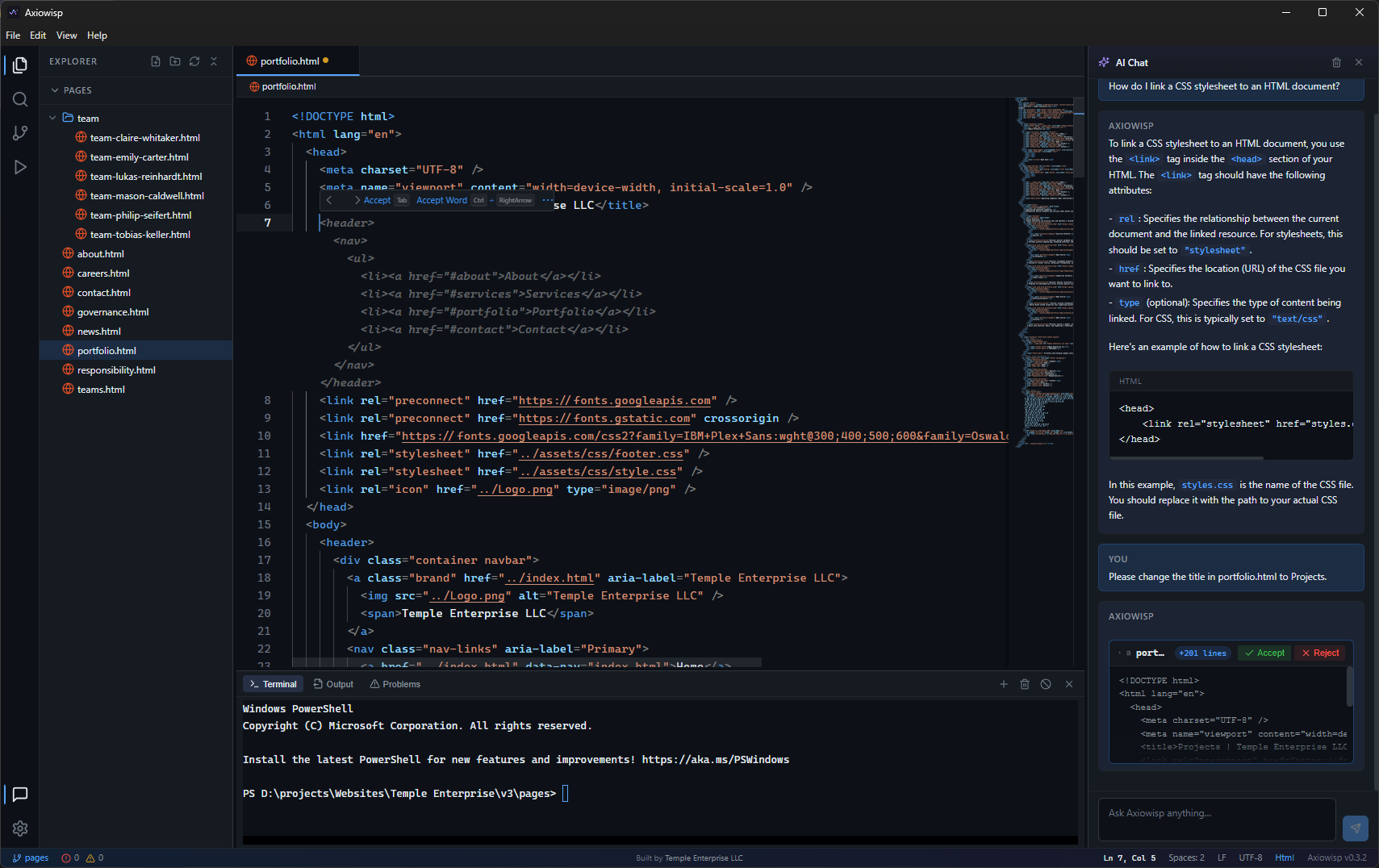
Context-aware assistant that reads your workspace and active file. Suggests code changes as diffs you can accept or reject.
Git Integration
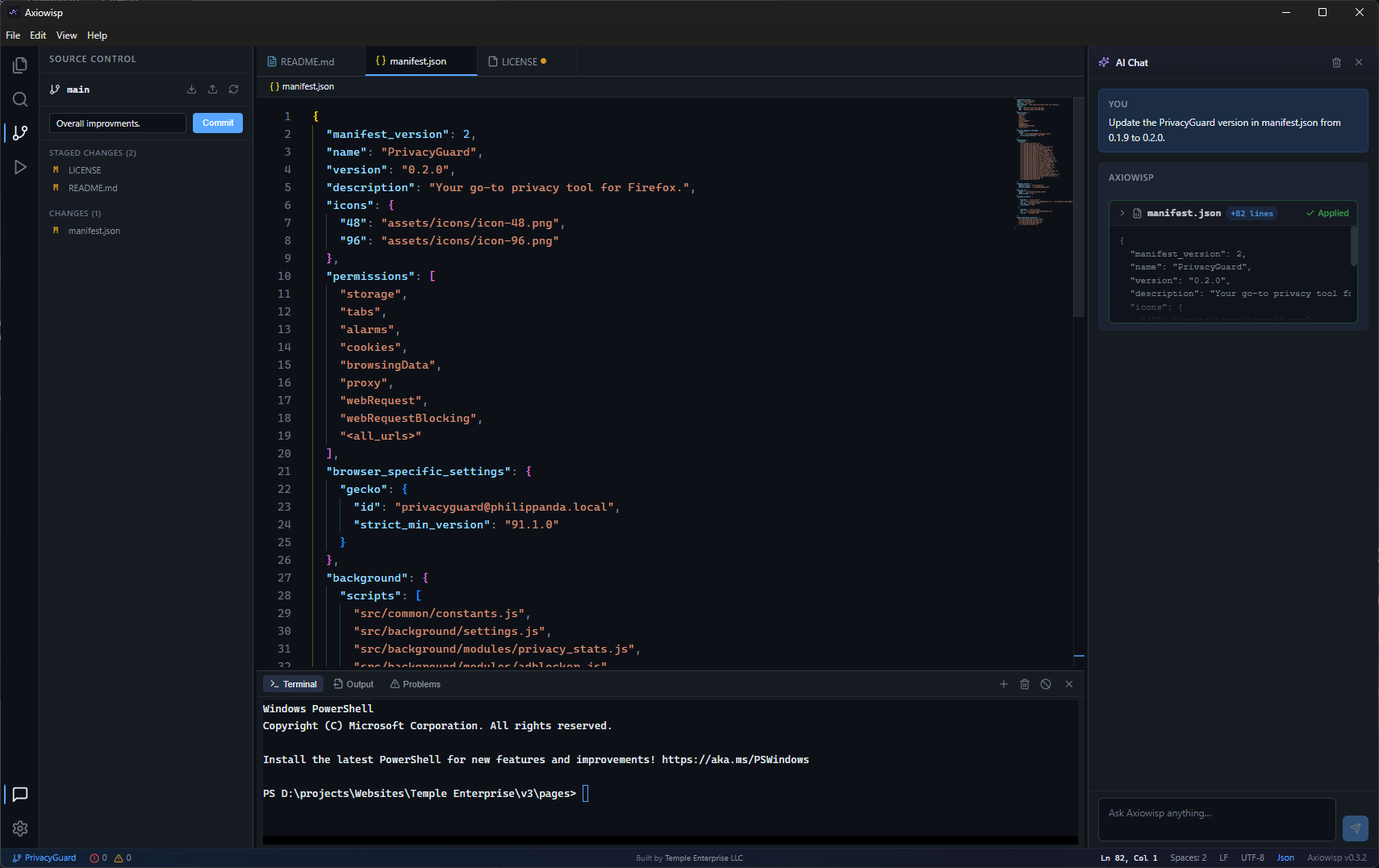
Source control panel with branch display, file staging, commit, push, and pull. No terminal required.
Find & Replace
Search inside file contents across your entire project. Results grouped by file with one-click replace all.
Project Dashboard
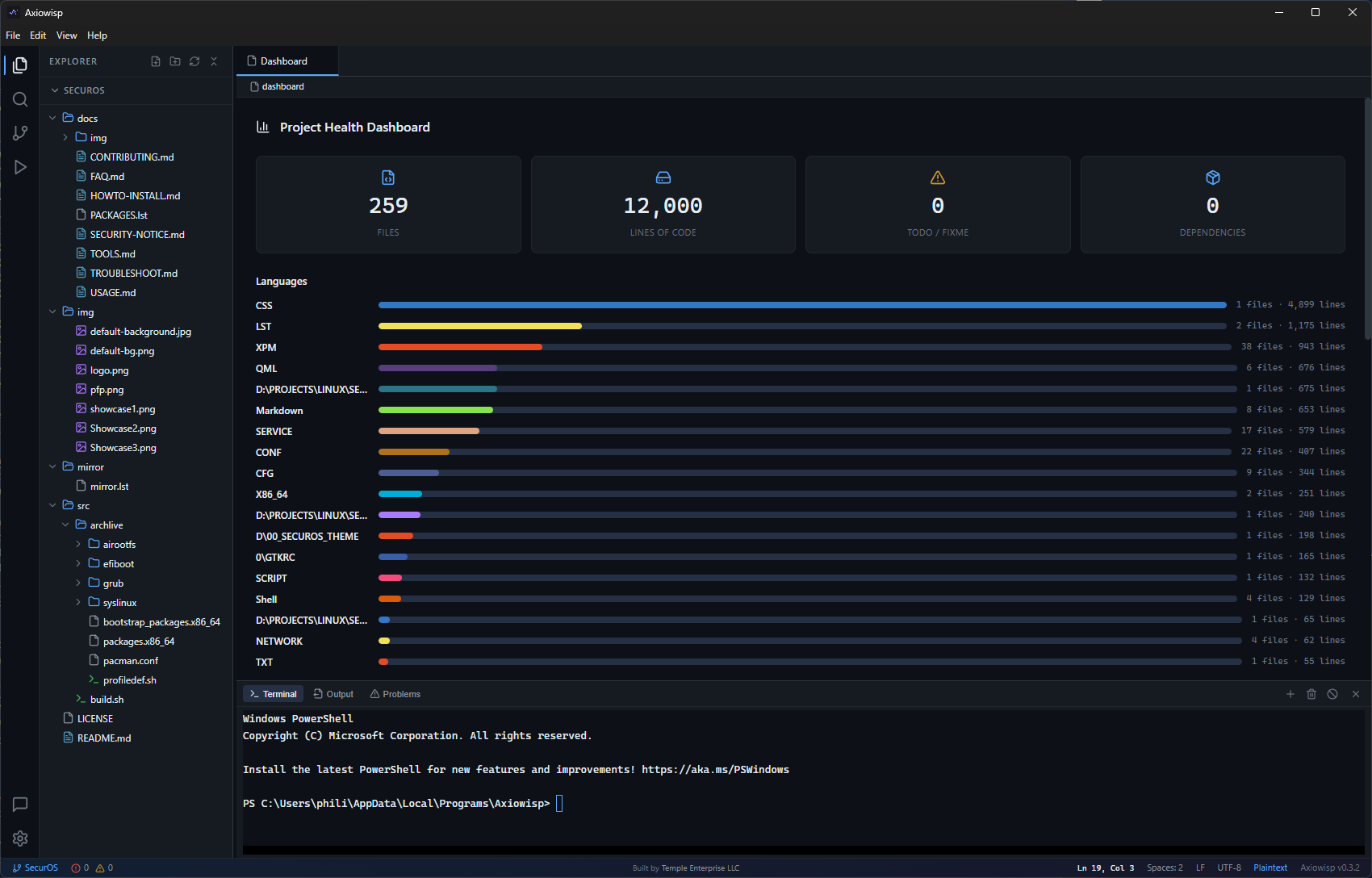
Lines of code by language, largest files, TODO/FIXME count, and full dependency overview in one tab.
Integrated Terminal
PowerShell and Bash via node-pty and xterm.js. New, clear, and kill actions built into the panel.
Themes & Settings
Custom dark and light themes with a full CSS variable engine. Font size, tab size, word wrap, minimap — all configurable.
File Associations
Registers as "Open With" handler for 30+ file types. Click a file on your desktop, it opens in Axiowisp.
AI Features
AI that works for you
Connect your own API key. Your data stays local — the only network calls go directly to your chosen provider.
- Ghost completions after 800ms of idle typing
- Chat reads your workspace structure for context
- Code review categorizes issues by severity
- Suggested changes shown as inline diffs
- OpenAI, Anthropic, and Gemini supported
Supported Providers
Bring your own API key
Connect to the leading AI platforms. Your key, your data, your choice.
Editor
Built for real work
Tab management, unsaved changes prompts, auto-save, breadcrumbs, and a command palette with 12+ actions. The details that matter.
- Monaco Editor with IntelliSense
- Git staging, commit, push from sidebar
- Drag-to-reorder tabs
- Auto-save with configurable delay
- Command palette, Go to Line, Format
Project Insights
Know your codebase, instantly
The built-in Project Dashboard gives you a full picture of your repo — no external tools needed.
- Lines of code broken down by language
- Top 10 largest files at a glance
- TODO / FIXME count across the project
- Full dependency overview from package.json
- Open instantly with Ctrl+D
Ready to try it?
Download the latest release or build from source. Free, open-source, and always will be.